

Integración genérica SIEM (HTTP/Webhook)
Descripción general
La integración genérica SIEM (HTTP/Webhook) le permite enviar registros de seguridad SecureAI a cualquier endpoint HTTP personalizado. Esto es perfecto para integrarse con sistemas SIEM que no tienen soporte nativo, herramientas de seguridad personalizadas ni ningún sistema de registro basado en HTTP.Casos de uso
- Sistemas SIEM personalizados: envíe registros a sus herramientas internas de monitoreo de seguridad
- Plataformas de seguridad de terceros: Integre con herramientas de seguridad que acepten webhooks
- Paneles de control personalizados: cree su propia visualización de eventos de seguridad
- Pruebas y desarrollo: utilice servicios de prueba de webhook para verificar la entrega de registros
- Sistemas heredados: conéctese a herramientas de seguridad más antiguas que solo admiten endpoints HTTP
Pasos de configuración
1. Obtenga un endpoint de prueba
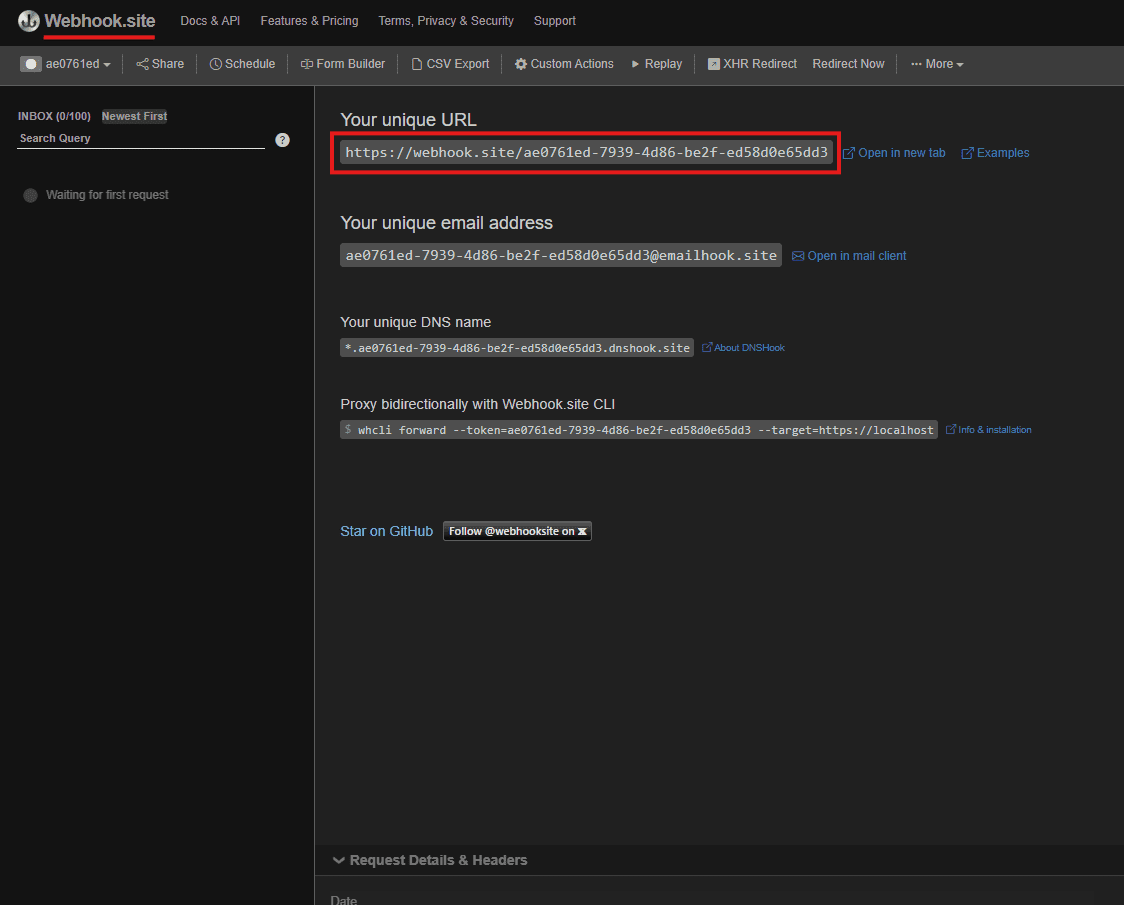
Para fines de prueba, recomendamos utilizar webhook.site:- Visite https://webhook.site
- Copie su URL única (por ejemplo,
https://webhook.site/ae0761ed-7939-4d86-be2f-ed58d0e65dd3) - Mantenga esta página abierta para monitorear los webhooks entrantes.
2. Configurar la integración
- Navegue hasta Integraciones en su panel de administración de SecureAI
- Busque “SIEM genérico (HTTP/Webhook)” en la categoría SIEM
- Haga clic en “Conectar integración”
3. Complete la configuración
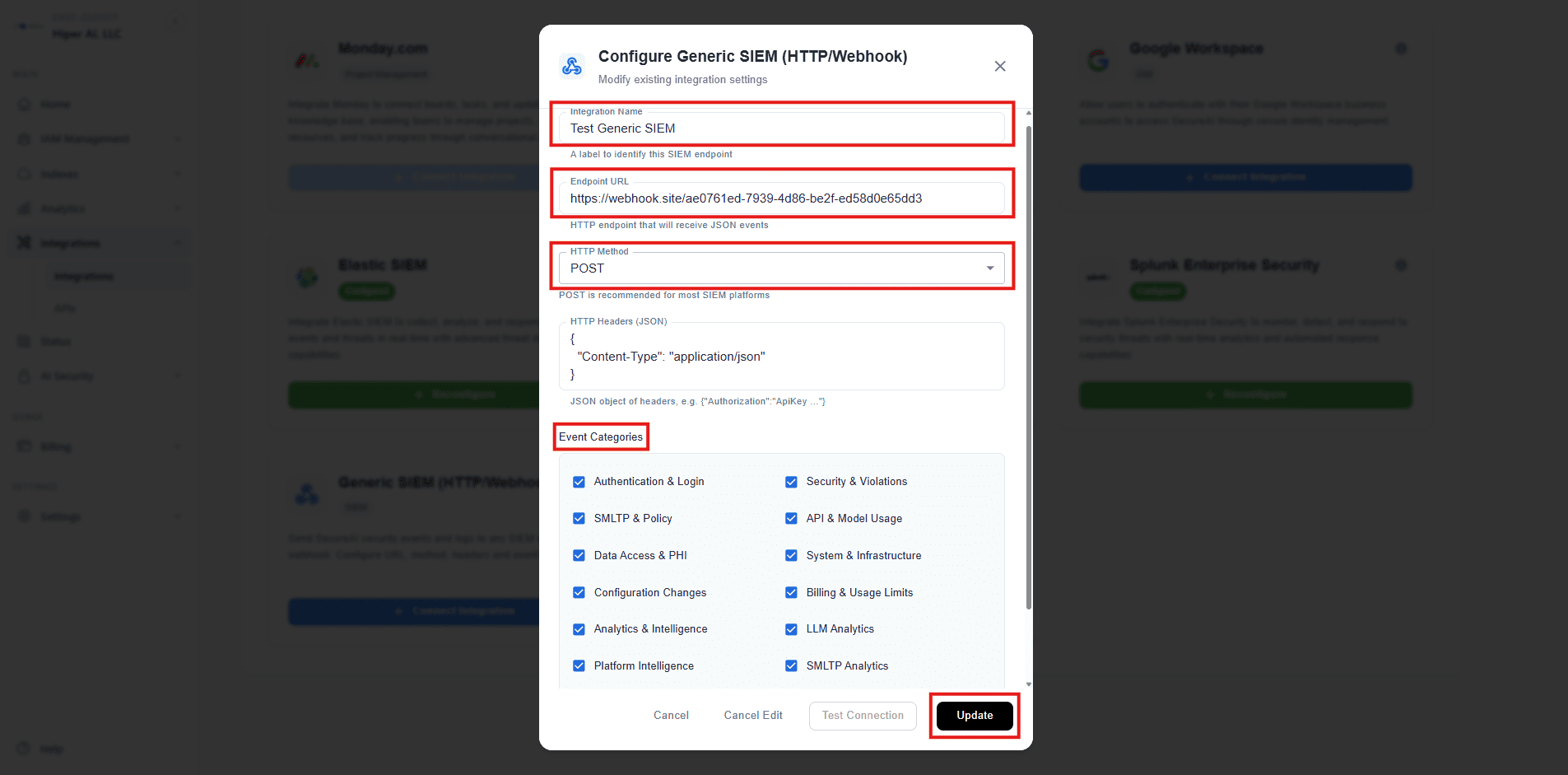
Configuración básica
- Nombre de integración:
Test Generic SIEM(o cualquier nombre descriptivo) - URL del endpoint:
https://webhook.site/ae0761ed-7939-4d86-be2f-ed58d0e65dd3 - Método HTTP:
POST(recomendado para la mayoría de las plataformas SIEM) - Encabezados HTTP:
{"Content-Type": "application/json"}
Categorías de eventos
Seleccione qué tipos de eventos reenviar: ✅ Recomendado para pruebas:- Autenticación e inicio de sesión
- API y uso de modelos
- Acceso a datos y PHI
- SMLTP y políticas
- Límites de facturación y uso
- Análisis
- Seguridad y violaciones
- Sistema e infraestructura
- Cambios de configuración
4. Pruebe la conexión
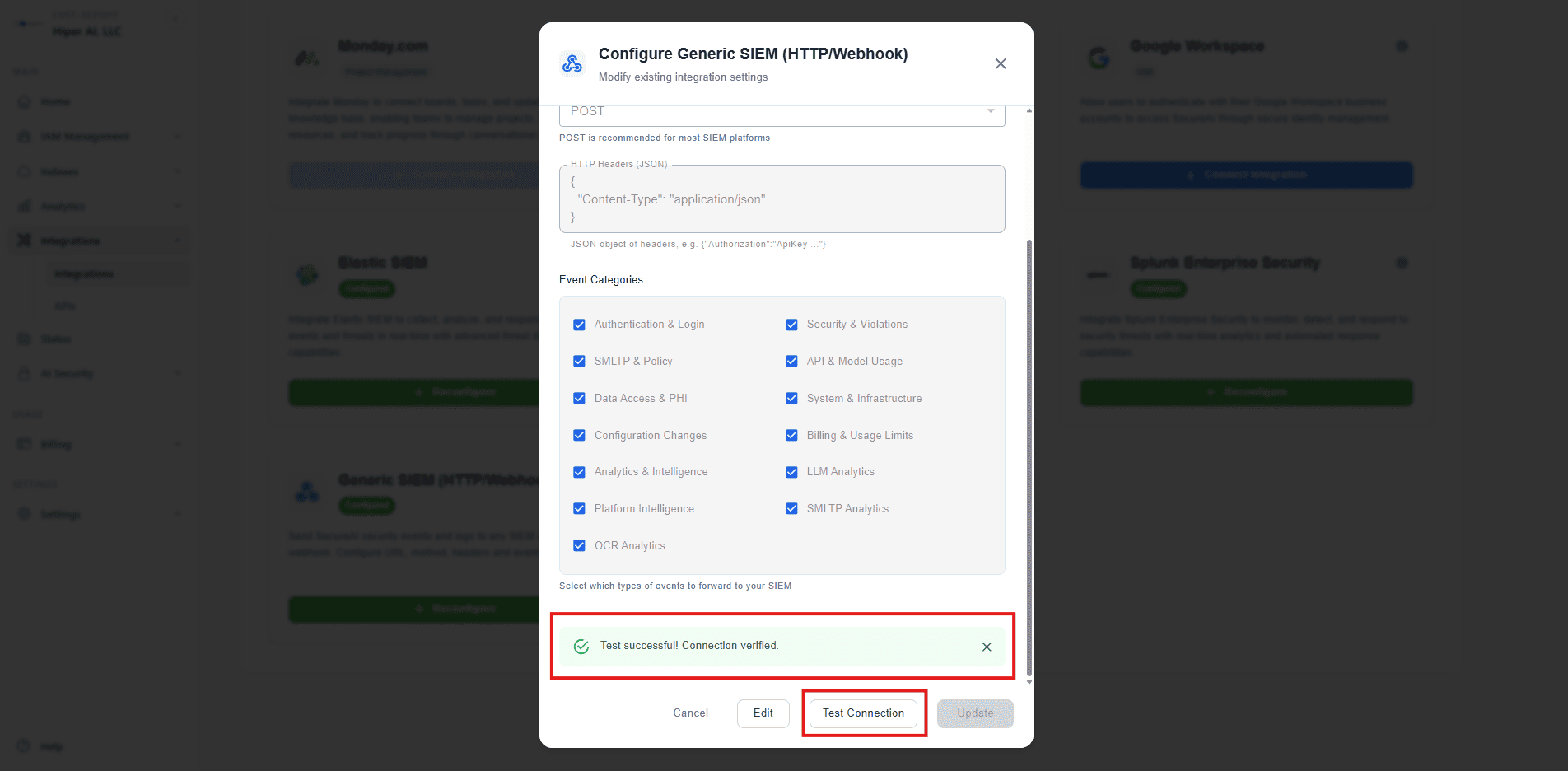
- Haga clic en “Probar conexión” para verificar la conectividad.
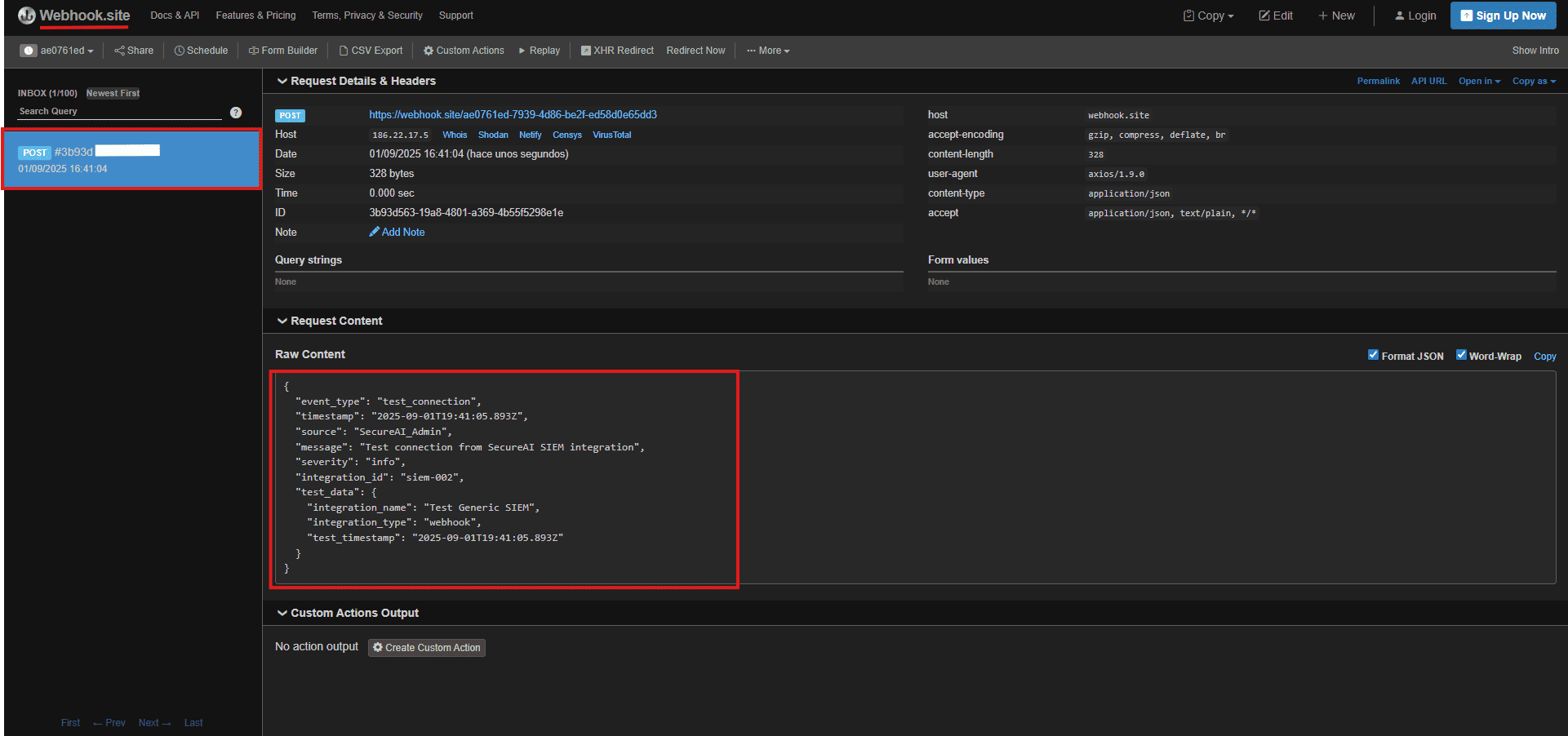
- Verifique webhook.site; debería ver una solicitud de prueba
- Verifique que la respuesta sea exitosa.
5. Guardar y monitorear
- Haga clic en “Conectar” para guardar la configuración.
- Realice acciones en su sistema SecureAI (inicio de sesión, llamadas API, etc.)
- Supervise webhook.site para ver registros en tiempo real
Configuración avanzada
Encabezados personalizados
Puede agregar encabezados personalizados para autenticación o requisitos específicos:Cuándo utilizar SIEM personalizado
La integración SIEM personalizada es particularmente útil en estos escenarios:- Sin sistema SIEM: si actualmente no utiliza ninguna plataforma SIEM, esto proporciona una forma sencilla de comenzar a recopilar registros de seguridad.
- Destinos de datos adicionales: envíe datos a múltiples ubicaciones simultáneamente (por ejemplo, su SIEM principal + un sistema de respaldo)
- Herramientas personalizadas: Integre con herramientas de seguridad especializadas, centros de datos o paneles personalizados
- Plataformas de comunicación: envíe alertas a canales de Teams, Slack u otras herramientas de colaboración
- Sistemas heredados: conéctese a herramientas de seguridad más antiguas que solo admiten endpoints HTTP
- Pruebas y desarrollo: utilice servicios de prueba de webhook para verificar la entrega de registros antes de la implementación en producción.
Solución de problemas
Problemas comunes
- Tiempo de espera de conexión: compruebe si el endpoint es accesible y responde
- Errores de autenticación: verifique las claves API y los encabezados de autenticación
- Problemas SSL/TLS: garantice la validación adecuada del certificado para los endpoints HTTPS
Monitoreo
- Verifique el estado de la integración en su panel de administración de SecureAI
- Supervisar las tasas de éxito de la entrega de webhooks
- Revisar los intentos fallidos de webhook en los registros
- Verificar la disponibilidad de los terminales y los tiempos de respuesta.
Consideraciones de seguridad
- Solo HTTPS: use siempre endpoints HTTPS en producción
- Autenticación: implemente la autenticación adecuada para sus endpoints de webhook
- Limitación de velocidad: configure límites de velocidad adecuados en sus endpoints
- Retención de registros: implementar políticas de retención de registros adecuadas para el cumplimiento
- Control de acceso: restrinja el acceso a los endpoints de webhook solo a sistemas autorizados
Mejores prácticas
- Empiece poco a poco: comience con categorías de eventos esenciales y amplíe gradualmente
- Pruebe minuciosamente: utilice webhook.site o servicios similares para la prueba inicial.
- Supervisar el rendimiento: esté atento a retrasos o fallas en la entrega del webhook
- Configuración del documento: mantenga registros detallados de la configuración de su webhook
- Revisión periódica: revise y actualice periódicamente las configuraciones del webhook
- Planes de respaldo: tenga métodos de registro alternativos en caso de que los webhooks fallen