

OpenAI Platform
Conecte su organización OpenAI para que SecureAI pueda inventariar proyectos, modelos, miembros, claves API, cuentas de servicio, gastos y actividad de auditoría, y revelar claves filtradas o con privilegios excesivos para su reparación.Qué importa SecureAI
- Proyectos, modelos, miembros, roles y grupos
- NHI: claves API y cuentas de servicio (revocables; consulte Inventario de NHI)
- Alertas de gasto, límites de tarifas, certificados y configuración de retención de datos
- Registros de auditoría
- Uso y costo durante los últimos 30 días, incluido el gasto por usuario
Requisitos previos
- Un propietario de la organización (o administrador) en la plataforma OpenAI.
- Una Clave API de administrador (
sk-admin-…). Se requieren claves de administrador para leer los proyectos, los miembros y el uso de toda la organización.
Credenciales
Dónde obtener la clave de administrador
-
Inicie sesión en la Plataforma OpenAI como propietario de una organización y vaya a Organization settings (menú inferior izquierdo).
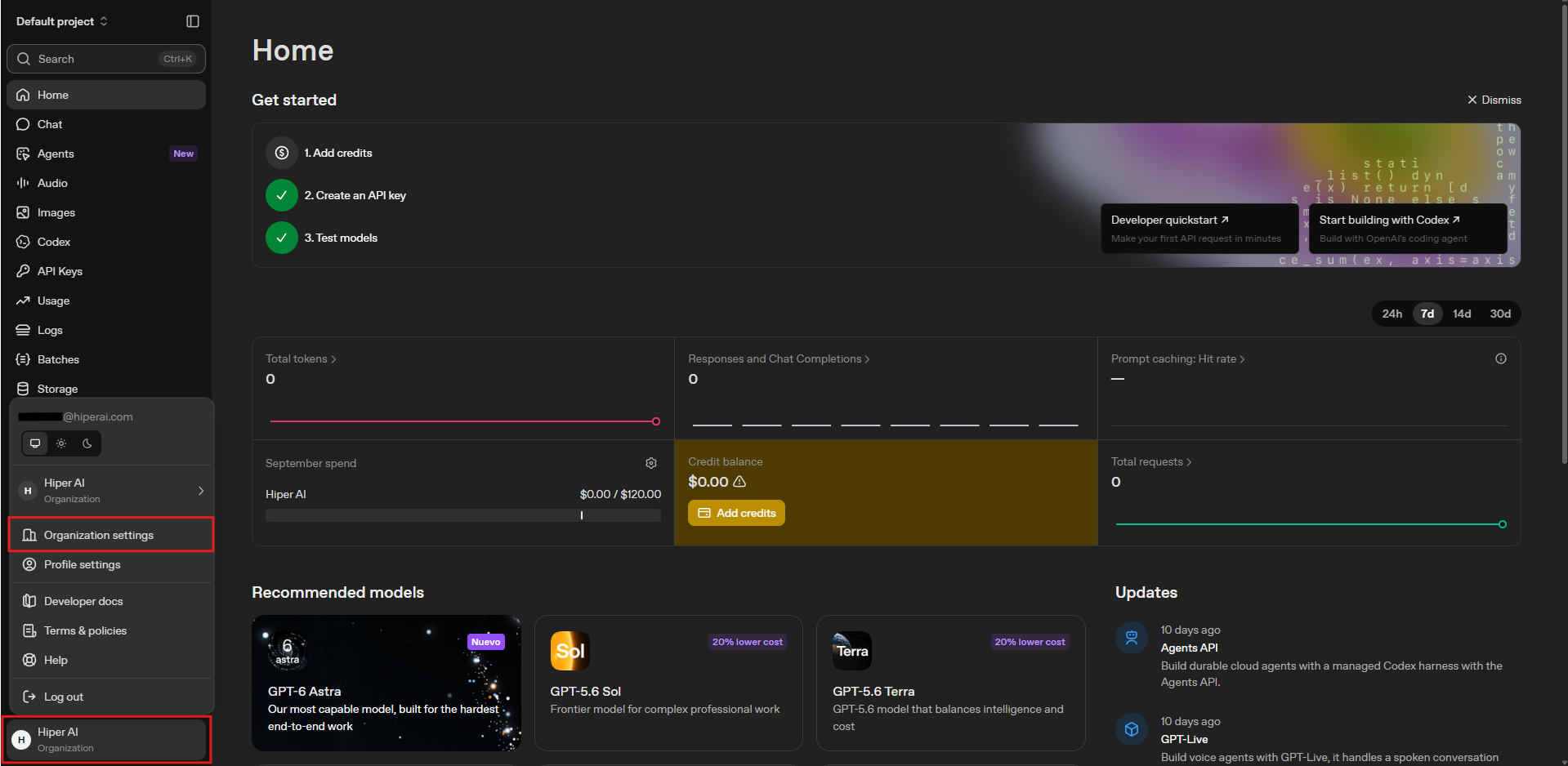
-
Vaya a Admin keys → Create new admin key. Póngale un nombre (por ejemplo
SecureAI), deje Vencimiento enNuncay elija Restricted con estos permisos: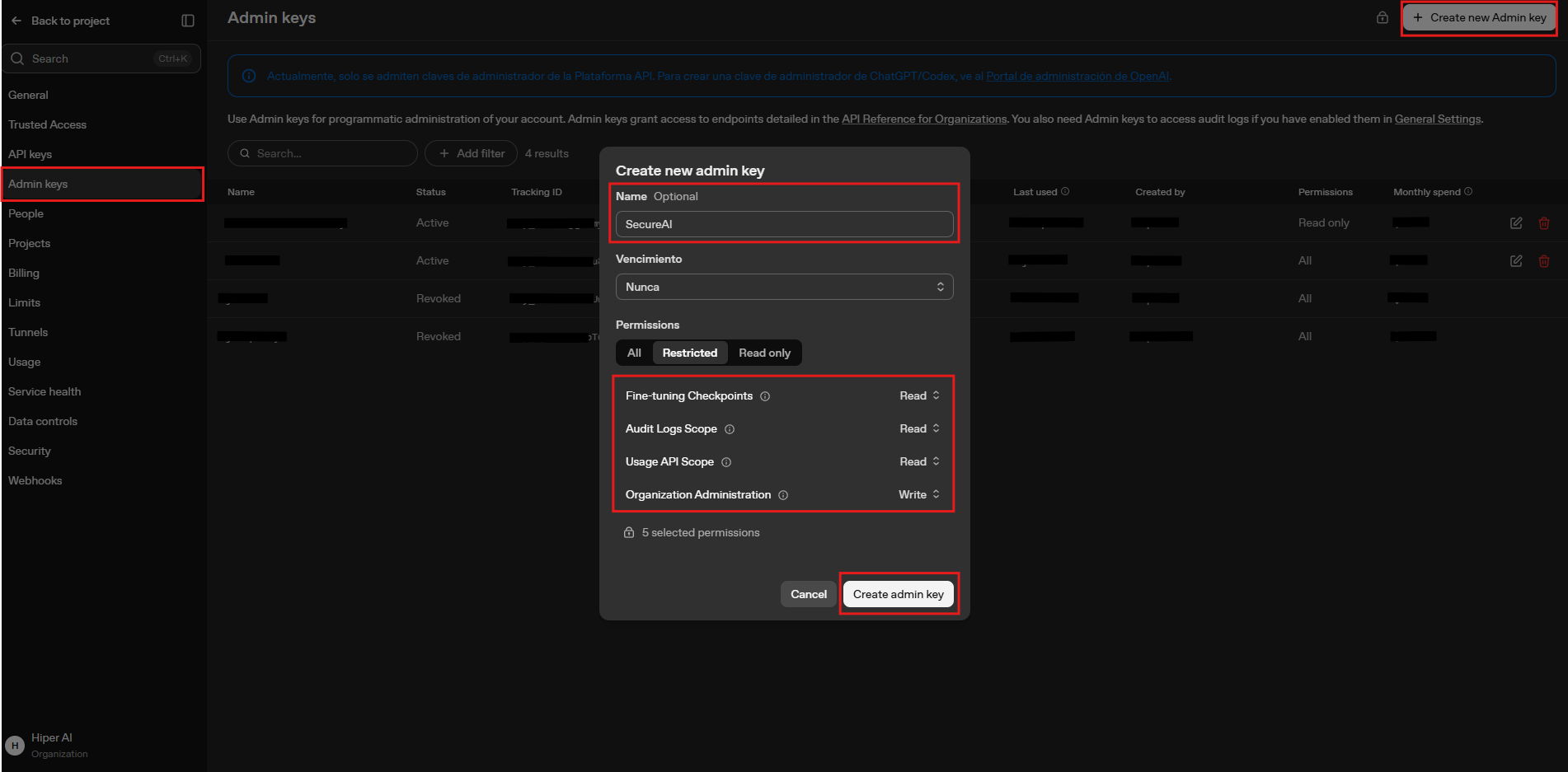
-
Haga clic en Create admin key y copie el valor (se muestra una sola vez, formato
sk-admin-…). -
Busque el
organizationIden Organization settings → General → Organization ID (formatoorg-…).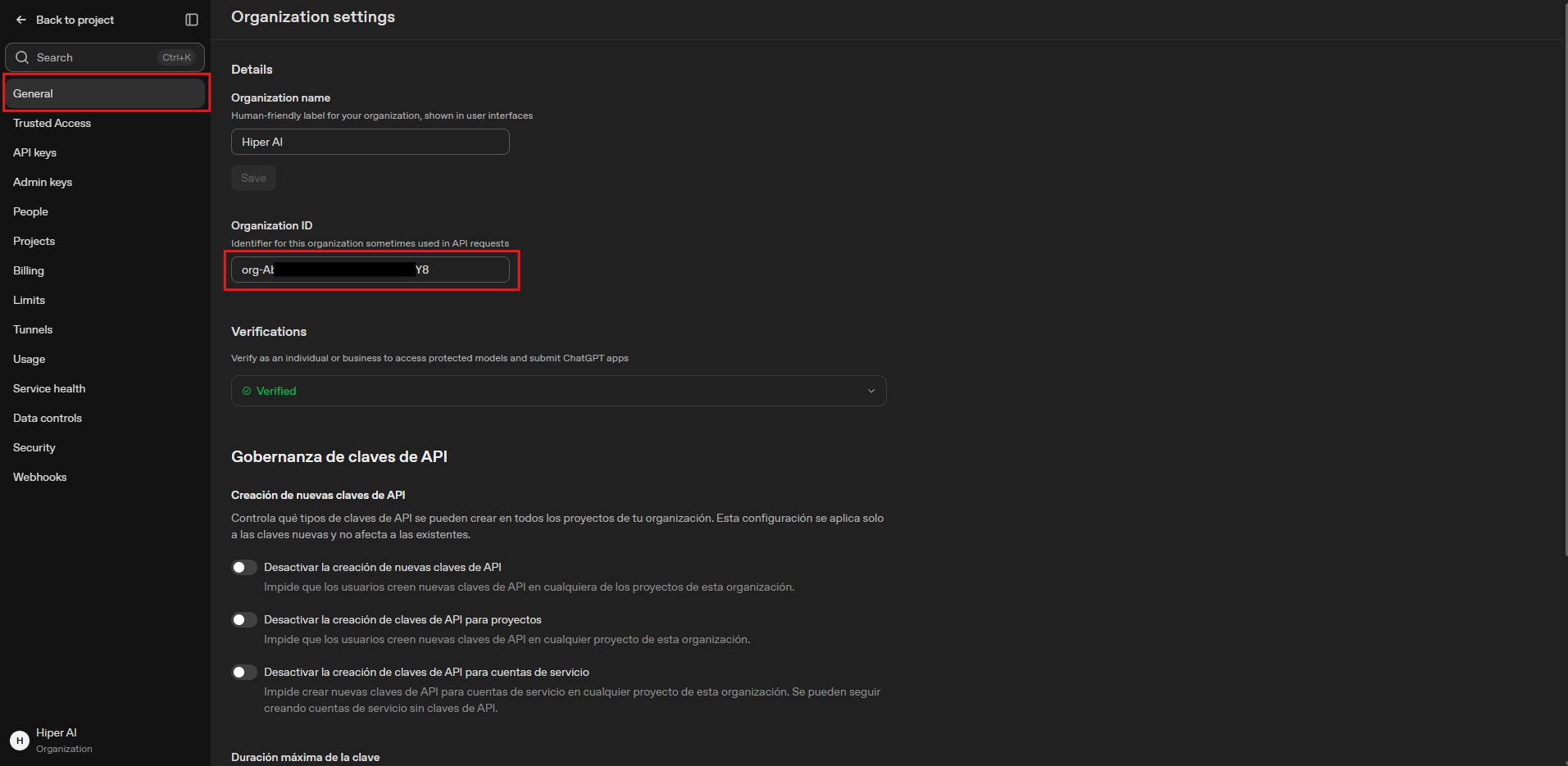
Conectar
- Administrador → Integraciones → Nube → Plataforma OpenAI → Connect Integration.
-
Pegue la clave API de administrador y el
organizationId, y haga clic en Connect.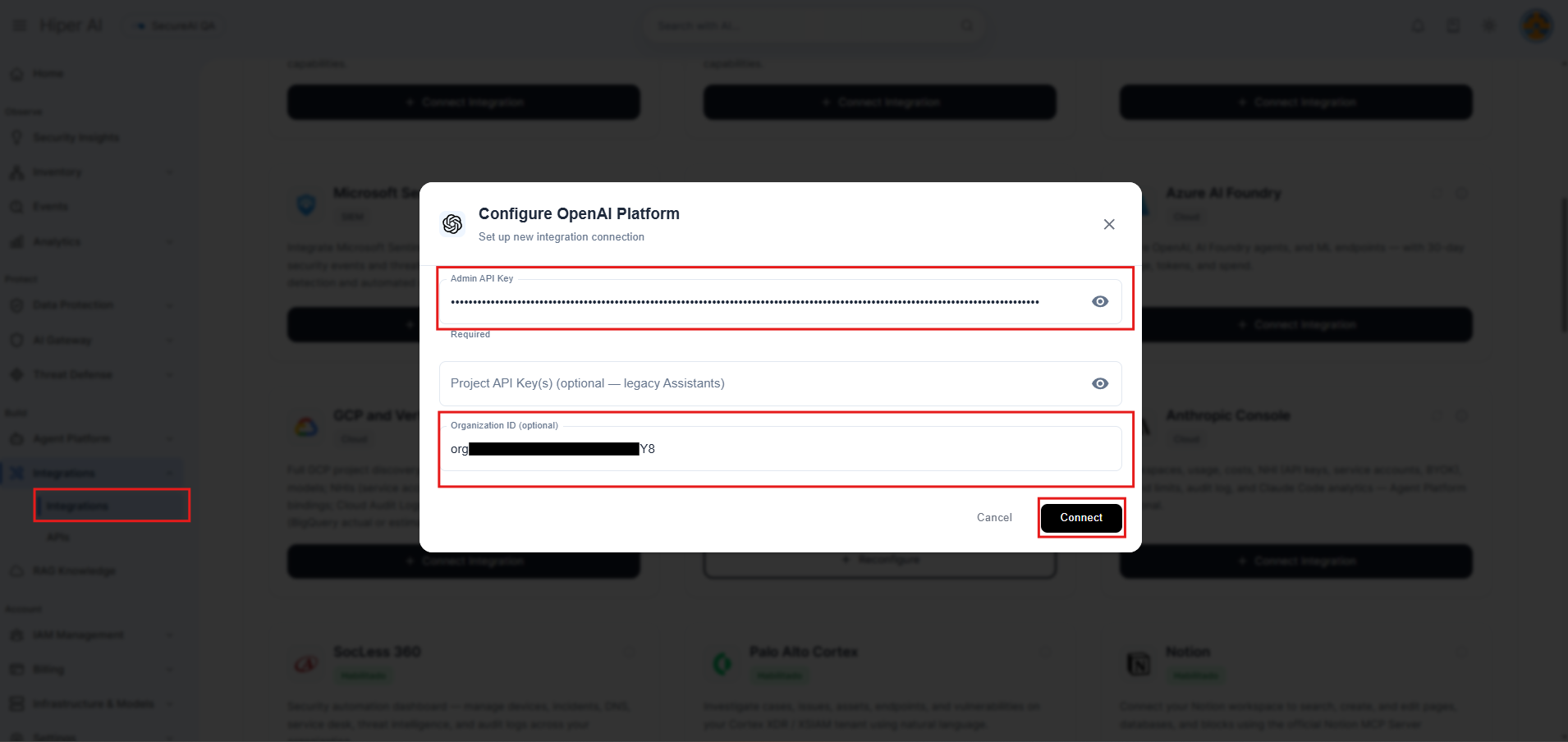
- Espere a la primera sincronización.